






Jordan Conroy specializes in reviewing popular online slots such as Sweet Bonanza, focusing on gameplay, bonus features, and player safety. His reviews are tailored for English-speaking audiences in Asian and African regions, including Malaysia and South Africa, and are supported by trusted references like the Responsible Gambling Council to ensure transparent and responsible content.
Sweet Bonanza: download for Android and iOS and play the slot online
Download the Sweet Bonanza mobile app through a licensed casino or play instantly in your browser. This guide covers game specifications, installation for both platforms, system requirements, safety checks, and practical advice for mobile play.
Play DEMO
Play with real money


Contents
- 1 Expert Verdict: Sweet Bonanza on Mobile
- 2 Game Specifications at a Glance
- 3 What You’re Getting: Core Game Features
- 4 Why Play on Mobile?
- 5 System Requirements
- 6 How to Download and Install on Android (APK)
- 7 How to Access on iOS (iPhone and iPad)
- 8 App vs. Browser vs. Desktop — Which Should You Choose?
- 9 Best Casino Apps for Playing Sweet Bonanza
- 10 🎰 More Games By Sweet Bonanza
- 11 How to Identify a Legitimate App and Stay Safe
- 12 Mobile Session Budgeting
- 13 Responsible Gambling on Mobile
- 14 ❓ FAQs
Expert Verdict: Sweet Bonanza on Mobile
Mobile Experience Rating: 8.5/10 — One of the smoothest mobile slot experiences available, held back only by the APK sideloading requirement on Android.
Sweet Bonanza translates exceptionally well to mobile. The 6×5 grid fills a phone screen naturally in portrait mode, the candy-coloured symbols are easily distinguishable on small displays, and the Tumble animations run smoothly on any device from the last five years thanks to HTML5 rendering. Touch controls are intuitive — tap to spin, swipe to adjust bets, long-press for Autoplay settings. The game loads in 3–5 seconds on a stable connection.
- Best for: Daily mobile players who want a reliable, visually appealing slot with high win potential (21,175×) accessible from anywhere. Players who prefer the Bonus Buy shortcut to Free Spins — the 100× buy button is easy to access on the mobile interface.
- Not ideal for: Players uncomfortable with APK sideloading on Android (browser play is the simpler alternative). Players on very old devices (pre-2016) or with less than 2 GB RAM.
- Standout mobile feature: The Tumble cascade animation is genuinely satisfying on a touchscreen — watching symbols disappear and new ones fall into place feels more tactile than on desktop.
Biggest limitation: The game requires a constant internet connection. There is no offline mode. If your connection drops mid-spin, the result is recorded server-side and credited when you reconnect — but the interruption breaks the flow.
Game Specifications at a Glance
| Parameter | Value |
|---|---|
| Provider | Pragmatic Play |
| Grid Layout | 6 reels × 5 rows |
| RTP (Return to Player) | 96.48% (96.51% with Ante Bet) |
| Volatility | Medium-High |
| Max Win | 21,175x bet |
| Min / Max Bet | $0.20 / $125 |
| Payline System | Pay Anywhere (8+ matching symbols) |
| Free Spins | 10 spins (retriggerable) |
| Bonus Buy | Available (100x stake) |
| Release Date | June 2019 |
| Technology | HTML5 (cross-device) |
The 96.48% RTP sits above the industry average, while medium-high volatility means wins are less frequent but potentially larger — a profile that suits players who enjoy longer sessions with occasional big payouts.
How to Verify Your Casino’s RTP on Mobile
Not all casinos use the default 96.48% RTP. Some operators configure lower settings — 95.45% or 91.38% — that significantly increase the house edge. At 91.38% RTP, the house edge is 8.62%, nearly 2.5× higher than the default 3.52%. Always verify before playing.
To check the RTP on your mobile casino app:
- Open Sweet Bonanza in the app.
- Tap the hamburger menu (☰) or the “i” info button — on mobile, this is usually in the bottom-left corner.
- Look for “Game Rules,” “Information,” or “Help.”
- Scroll to “Theoretical Return to Player” or “RTP.”
- Confirm it shows 96.48% (standard) or 96.51% (with Ante Bet).
If you see 95.45% or 91.38%, the casino is using a reduced-return configuration. Consider switching to a casino app that offers the default setting.
What You’re Getting: Core Game Features
Before you download, here is what makes Sweet Bonanza different from other mobile slots.
Tumble Feature and Pay Anywhere System
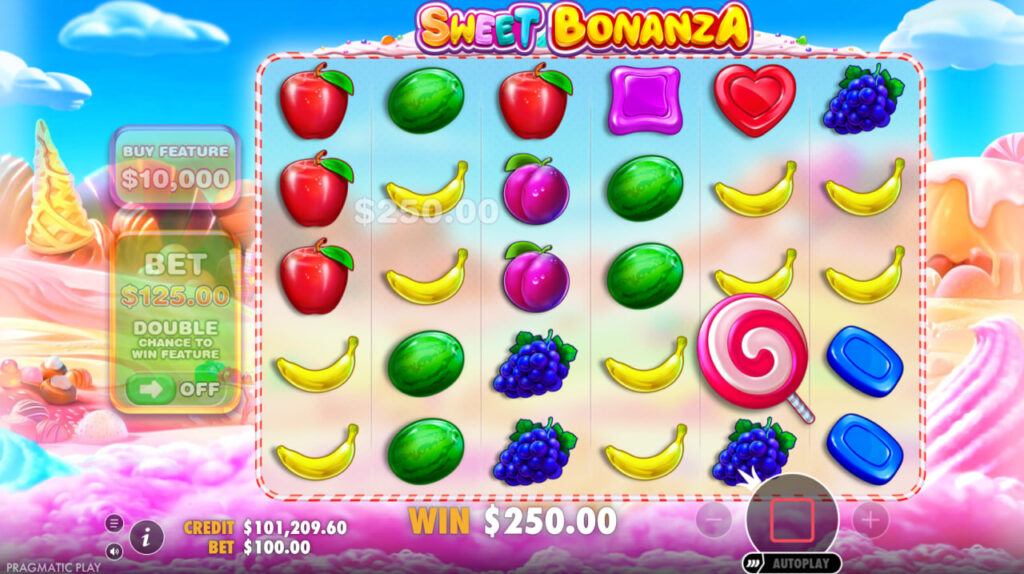
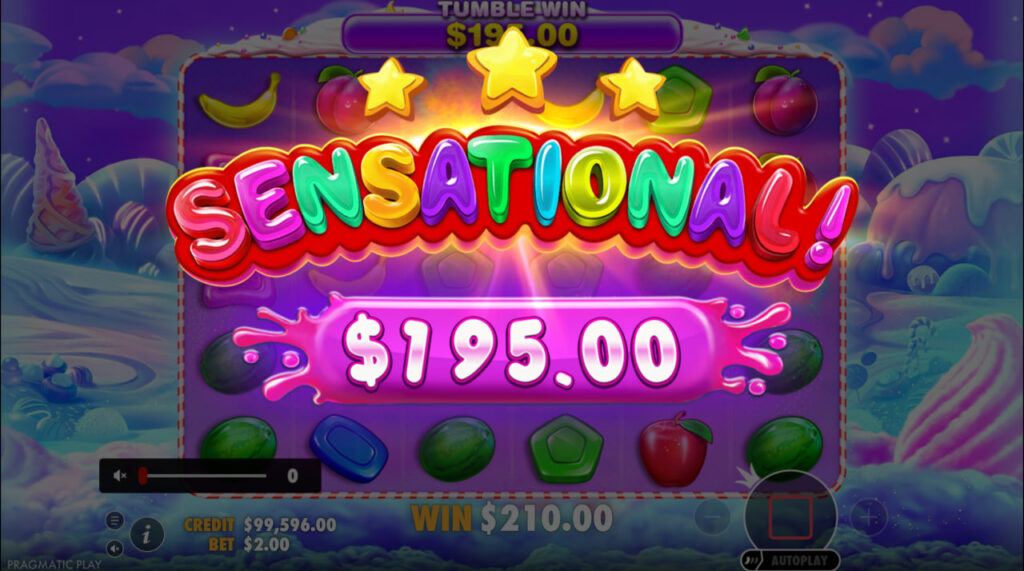
After every winning combination, the paid symbols disappear and new ones tumble down from above. This cascade continues as long as new wins form, allowing multiple payouts from a single spin. On mobile, the animation runs smoothly thanks to HTML5 rendering.
Unlike traditional paylines, this slot uses a cluster-pay model. Land eight or more identical symbols anywhere on the 6×5 grid and you score a win — no need for adjacent positions. Fruit symbols (grapes, plums, watermelons, bananas, apples) pay lower amounts, while candy symbols (hearts, stars, diamonds) deliver higher rewards.
Free Spins and Multiplier Bombs
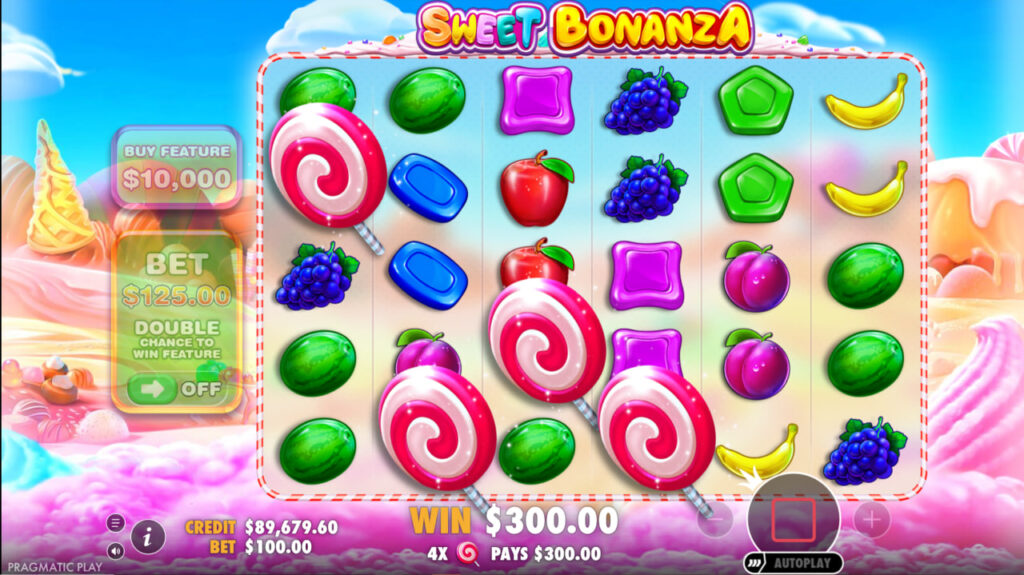
The lollipop scatter triggers the bonus round. Land four, five, or six scatters to receive 10 Free Spins plus a cash prize. During the round, landing three or more additional scatters awards five extra spins with no cap on retriggers.
During Free Spins, rainbow-coloured bomb symbols land on the reels carrying random multipliers between 2x and 100x. All visible multiplier values are added together and applied to the total win of that spin. This mechanic is the primary driver behind the 21,175x max-win potential.
Ante Bet and Bonus Buy
- Ante Bet — Increase your stake by 25% to double the chance of triggering Free Spins. RTP rises slightly to 96.51% in this mode.
Bonus Buy — Pay 100x your base bet to enter the Free Spins round immediately. This option is popular among experienced players who prefer direct access to the high-volatility bonus. Note: Bonus Buy is disabled in UK-licensed and Swedish-licensed apps due to regulatory restrictions.
Why Play on Mobile?
The slot is fully optimised for handheld devices. Here is what the mobile experience offers:
- Touch-friendly controls — Spin, adjust bets, and open menus with simple taps. The interface scales automatically to any screen size.
- Auto-rotate support — Play in portrait or landscape mode; the layout adapts in real time.
- Demo and real-money modes — Both are available on mobile, so you can practise for free or play with a deposit.
- Autoplay and Turbo Spin — Set automatic spins or speed up animations for faster gameplay on the go.
Battery and Data Usage Estimates
Sweet Bonanza runs on HTML5, which is lighter than native 3D games but still consumes resources during extended sessions. Based on typical HTML5 slot performance:
- Data usage: ~30–60 MB per hour of active play. The initial load is 5–15 MB, then incremental data for each spin result.
- Battery drain: ~10–15% per hour on phones with 4,000+ mAh batteries at 50% brightness.
Tips to extend your session:
- Enable Turbo Spin if your casino app supports it — faster animations mean less screen-on time per spin.
- Use Wi-Fi instead of mobile data when possible.
- Lower screen brightness — the candy-coloured visuals are visible even at 30%.
- Close background apps before playing.
System Requirements
Android
| Requirement | Minimum |
|---|---|
| OS Version | Android 5.0 (Lollipop) or higher |
| RAM | 2 GB |
| Free Storage | 100 MB+ (for casino APK) |
| Browser (instant play) | Chrome 70+, Firefox 60+, or Samsung Internet |
| Connection | Stable Wi-Fi or 4G/5G mobile data |
iOS
| Requirement | Minimum |
|---|---|
| OS Version | iOS 12.0 or higher |
| Devices | iPhone 6s and newer, iPad Air 2 and newer |
| Free Storage | 100 MB+ (for casino app from App Store) |
| Browser (instant play) | Safari 12+ or Chrome for iOS |
| Connection | Stable Wi-Fi or 4G/5G mobile data |
If your device meets these specs, the slot will load quickly and run without frame drops during Tumble animations and Free Spins sequences.
How to Download and Install on Android (APK)
Google Play restricts real-money gambling apps in most regions, which is why many licensed casinos distribute their Android applications as APK files (Android Package Kit). Follow these steps:
- Open the casino website in your mobile browser and navigate to the download section.
- Download the APK file — The file is typically 40–80 MB depending on the casino.
- Allow installation from unknown sources — Go to Settings → Security → enable “Unknown Sources” (on Android 8+, you grant permission per-app).
- Locate the file in your Downloads folder and tap it.
- Follow the on-screen prompts to complete installation.
- Launch the app, log in or register, find the slot in the lobby, and start spinning.
What Is an APK File?
APK stands for Android Package Kit — the standard format for distributing and installing applications outside the Google Play Store. It contains all the code, assets, and manifest data the system needs to run the app. This is the same format Google Play uses internally.
Why Is the Game Not on Google Play?
Google’s Developer Program Policy restricts real-money gambling apps to a limited number of approved countries (UK, Ireland, France, Brazil, and a few others). In regions where the policy applies, casinos offer direct APK downloads from their websites instead. This is standard practice across the iGaming industry, not a sign of an illegitimate product.
Troubleshooting Installation Problems
APK won’t install:
- Go to Settings → Apps → Special Access → Install Unknown Apps → enable for your browser. On Android 8+, this is per-app, not a global toggle.
- Check storage: you need at least 100 MB free. Clear cache via Settings → Storage → Cached Data.
- If you see “App not installed” error: the APK may be corrupted. Delete the file and re-download from the casino’s website.
- If you see “Parse error”: your Android version may be too old. Check the casino’s minimum requirement.
App crashes on launch:
- Force-stop the app and reopen.
- Clear the app’s cache (Settings → Apps → [Casino App] → Storage → Clear Cache).
- Check for app updates — the casino may have released a fix.
- Restart your phone.
Game won’t load inside the app: This usually means a network issue. Switch between Wi-Fi and mobile data to test. The game requires a stable internet connection — it cannot run offline.
How to Access on iOS (iPhone and iPad)
Apple’s App Store allows licensed casino apps in select markets. Depending on your region, you have two paths:
Option A — Casino App from the App Store
- Open the App Store and search for your licensed casino by name.
- Download and install the app.
- Log in or create an account, navigate to the slots lobby, and launch the game.
Option B — Instant Play via Safari (PWA)
- Open Safari and go to the casino website.
- Log in or register.
- Find the slot in the lobby and tap to play — no download required.
- Optional: Tap the Share icon → “Add to Home Screen” to create a Progressive Web App (PWA) shortcut that behaves like a native app.
The PWA approach is especially useful in regions where the casino app is not listed in the App Store. It loads in seconds, supports full-screen mode, and can even send push notifications if the casino enables them.
App vs. Browser vs. Desktop — Which Should You Choose?
| Feature | Casino App (Android/iOS) | Mobile Browser (Instant Play) | Desktop Browser |
|---|---|---|---|
| Installation required | Yes (APK or App Store) | No | No |
| Game performance | Excellent | Very good | Excellent |
| Push notifications | Yes | Limited (PWA only) | No |
| Auto-updates | Yes (App Store) / Manual (APK) | Always latest version | Always latest version |
| Storage used | 40–100 MB | Minimal (cache only) | Minimal (cache only) |
| Offline access | No (internet required) | No | No |
| Touch controls | Yes | Yes | No (mouse/keyboard) |
| Screen adaptation | Auto-rotate, responsive | Auto-rotate, responsive | Fixed layout |
| Account sync | Full | Full | Full |
| Best for | Daily players at one casino | Casual or multi-casino players | Long sessions at home |
All three methods connect to the same casino server, so your balance, bonuses, and game history remain synchronised regardless of how you access the slot.
Choose the Casino App If:
- You play at the same casino 3+ times per week and want one-tap access
- You want push notifications for promotions, bonus spins, and tournament entries
- You prefer a dedicated app icon on your home screen
- Your casino offers app-exclusive bonuses (check their promotions page)
Choose Browser Play (Chrome/Safari) If:
- You play casually or at multiple different casinos
- You don’t want to use 40–100 MB of storage
- You’re on iOS in a region where the casino app isn’t in the App Store
- You want to try Sweet Bonanza at a new casino without committing to an install
Choose PWA (Add to Home Screen) If:
- You want the app-like experience (home screen icon, full-screen mode) without the storage cost
- You’re on iOS and the casino app isn’t available in your region’s App Store
- You want automatic updates without manual APK re-downloads
The honest take: For most players, browser play is the simplest and most flexible option. The casino app adds convenience (faster launch, push notifications) but not functionality — the game itself is identical across all access methods. Your balance, bonuses, and game history sync across all three methods. The app is worth installing only if you play regularly at one casino and value the 15-second time savings per session.
Best Casino Apps for Playing Sweet Bonanza
When choosing a casino app to play Sweet Bonanza, verify these four things before depositing:
- RTP configuration — Open the game, tap the info button (i), and confirm the RTP shows 96.48%. Some casinos configure lower settings (95.45% or 91.38%) that significantly increase the house edge.
- Bonus Buy availability — If you want the 100× instant Free Spins trigger, confirm it’s enabled. Players in the UK and Sweden will find this feature disabled regardless of the casino.
- Licence — Look for MGA (Malta Gaming Authority), UKGC (UK Gambling Commission), or Curaçao eGaming licence details in the app’s footer or settings. Avoid unlicensed operators.
- Mobile welcome bonus — Some casinos offer mobile-specific signup bonuses (bonus spins, deposit matches) that apply to Sweet Bonanza. Check the promotions page before depositing.
What to Look for in a Casino App
| Feature | Why It Matters |
|---|---|
| Default RTP (96.48%) | Lower RTP = faster losses. Always verify. |
| Bonus Buy enabled | Lets you skip to Free Spins for 100× bet |
| Apple Pay / Google Pay | Faster mobile deposits |
| App size under 80 MB | Saves storage on your device |
| Push notification controls | Get promotion alerts without spam |
| Session timer / deposit limits | Built-in responsible gambling tools |
Look for casinos that host the full Pragmatic Play portfolio — once you install the app, you’ll have access to hundreds of slots including Gates of Olympus, Starlight Princess, Big Bass Bonanza, and all Sweet Bonanza variants (Sweet Bonanza Xmas, Sweet Bonanza 1000, Sweet Bonanza CandyLand, Sweet Bonanza Dice).
Regional App Availability
Casino app availability varies by region:
- UK: Licensed casinos can list apps on both Google Play and the App Store. Bonus Buy is disabled in all UK-licensed apps due to UKGC regulations.
- EU (non-UK): Most casinos distribute via APK (Android) and App Store (iOS). Bonus Buy availability varies by country.
- Canada: Casino apps available via APK and some App Store listings. Full feature set including Bonus Buy.
- Australia: Online casino apps are restricted. Browser play through offshore casinos is the primary access method.
- India: APK sideloading is the standard method. Few casino apps are on Google Play for Indian users.
- US: Varies by state. Only states with legal online gambling (NJ, PA, MI, WV, CT, etc.) have licensed casino apps. Sweet Bonanza may be available through social casino apps in other states (play-money only).
Always verify your casino holds a valid licence for your jurisdiction before downloading.
🎰 More Games By Sweet Bonanza
Version 1000
A high-volatility sequel with upgraded multipliers, free spins, and bigger wins.
Dice
A dice-themed twist on the classic, featuring tumbling reels and scatter multipliers.
How to Identify a Legitimate App and Stay Safe
With the popularity of this title, fake APKs and clone apps appear regularly. Here is a structured threat assessment:
- Official casino APK (downloaded from the casino’s own website): Built by the casino’s development team, signed with their certificate, hosted on their domain. Safe.
- Third-party APK mirror (APKPure, APKMirror): Usually safe — these sites verify signatures — but you’re adding a middleman. Acceptable if you verify the file hash.
- Random download link (from a forum, Telegram group, or ad): Dangerous. These may be modified APKs with malware, keyloggers, or fake login screens. Never install from unverified sources.
The rule is simple: download only from the casino’s official website. Type the URL yourself — don’t click links from emails, ads, or social media.
Additional safety steps:
- Check the casino’s licence — Reputable operators hold licences from bodies such as the Malta Gaming Authority (MGA), Curaçao eGaming, or the UK Gambling Commission. Licence details are usually displayed in the app footer.
- Verify the developer name — The game itself is produced by Pragmatic Play. The casino app should list the operator’s registered company name, not a generic or misspelled entity.
- Keep your OS updated — Security patches reduce vulnerability to malware that may be bundled with unofficial APKs.
- Enable Google Play Protect (Android) — This built-in scanner checks sideloaded apps for known threats. Find it in Settings → Security → Google Play Protect.
Managing Push Notifications
Casino app push notifications can be useful or intrusive depending on how you configure them.
Worth enabling if: the casino sends notifications about deposit bonuses, free spins promotions, or tournament entries — some casinos notify you when a slot is featured in Drops & Wins campaigns.
Worth disabling if: the casino sends generic “Come back and play!” messages multiple times per day, or if you’re trying to limit your gambling time.
How to manage:
- On Android: Settings → Apps → [Casino App] → Notifications → customise which categories to allow.
- On iOS: Settings → Notifications → [Casino App] → toggle off or customise.
Enable notifications for “Promotions” only and disable “Reminders” and “Activity” categories. This way you’ll hear about genuine offers without being nagged to play.
Mobile Session Budgeting
Before opening the app, decide your session budget. Here is what different budgets buy you at Sweet Bonanza’s minimum bet ($0.20/spin):
| Session Budget | Approx. Spins | Free Spins Triggers (est.) | Bonus Buy Attempts | Realistic Session Length | Expected Loss |
|---|---|---|---|---|---|
| $10 | ~50 | Unlikely (need ~200) | 0 | 5–8 minutes | ~$0.35 |
| $20 | ~100 | Slim chance | 1 ($20 buy) | 10–15 minutes | ~$0.70 |
| $50 | ~250 | ~1 trigger likely | 2–3 ($20 each) | 25–40 minutes | ~$1.76 |
| $100 | ~500 | ~2 triggers likely | 5 ($20 each) | 50–75 minutes | ~$3.52 |
| $200 | ~1,000 | ~4–5 triggers | 10 ($20 each) | 1.5–2.5 hours | ~$7.04 |
Free Spins trigger estimates assume Standard Play (~1 trigger per 200 spins). Ante Bet ($0.25/spin) roughly doubles trigger frequency but reduces total spins per budget by 20%. Expected loss calculated at 96.48% RTP — actual results vary significantly due to medium-high volatility. A single lucky Free Spins round can return 50×–200× your bet; a cold session can deplete your budget with zero triggers.
Key insight: If your budget is under $50, avoid Bonus Buy — it consumes too large a percentage of your bankroll in a single trigger. Use Standard Play or Ante Bet to maximise your spin count and entertainment time.
Responsible Gambling on Mobile
Mobile access makes it easy to play anytime, which also increases the importance of setting personal limits. Follow these practices:
- Set a budget before each session and stop when you reach it. Use the session budget table above as a guide.
- Use casino tools — Most licensed operators offer deposit limits, loss limits, session timers, and self-exclusion options directly in the app. Set these up when you first install the app, not after a losing session.
- Take breaks — Avoid extended sessions. The Autoplay feature includes a loss-limit stop that can help enforce pauses.
- Monitor your app usage — Both Android (Digital Wellbeing) and iOS (Screen Time) let you set daily time limits for specific apps. Consider adding a limit for your casino app.
- Recognise the signs — If gambling stops being entertainment, seek help from organisations such as the Responsible Gambling Council, GamCare, or Gamblers Anonymous.
Remember: the 96.48% RTP is a long-term statistical average calculated over millions of spins, not a guarantee of returns in any individual session. Volatility means results will vary significantly in the short term.
❓ FAQs
There is no official “Sweet Bonanza app” — the game is accessed through casino apps or mobile browsers. Legitimate casino apps from licensed operators (MGA, UKGC, Curaçao) are safe. The scam risk comes from fake APKs distributed through unofficial channels — Telegram groups, random download sites, or social media ads. Always download casino apps directly from the operator’s official website or a verified App Store listing. If an app asks for permissions it shouldn’t need (contacts, SMS, camera), delete it immediately.

Jordan Conroy
Last updated: 29.04.2026